The film-camera look for your feed: flash, grain and light leaks
Prompt recipes for the disposable camera look: direct flash, grain, light leaks, a date stamp and color casts, rendered fresh or restyled from your own photo.
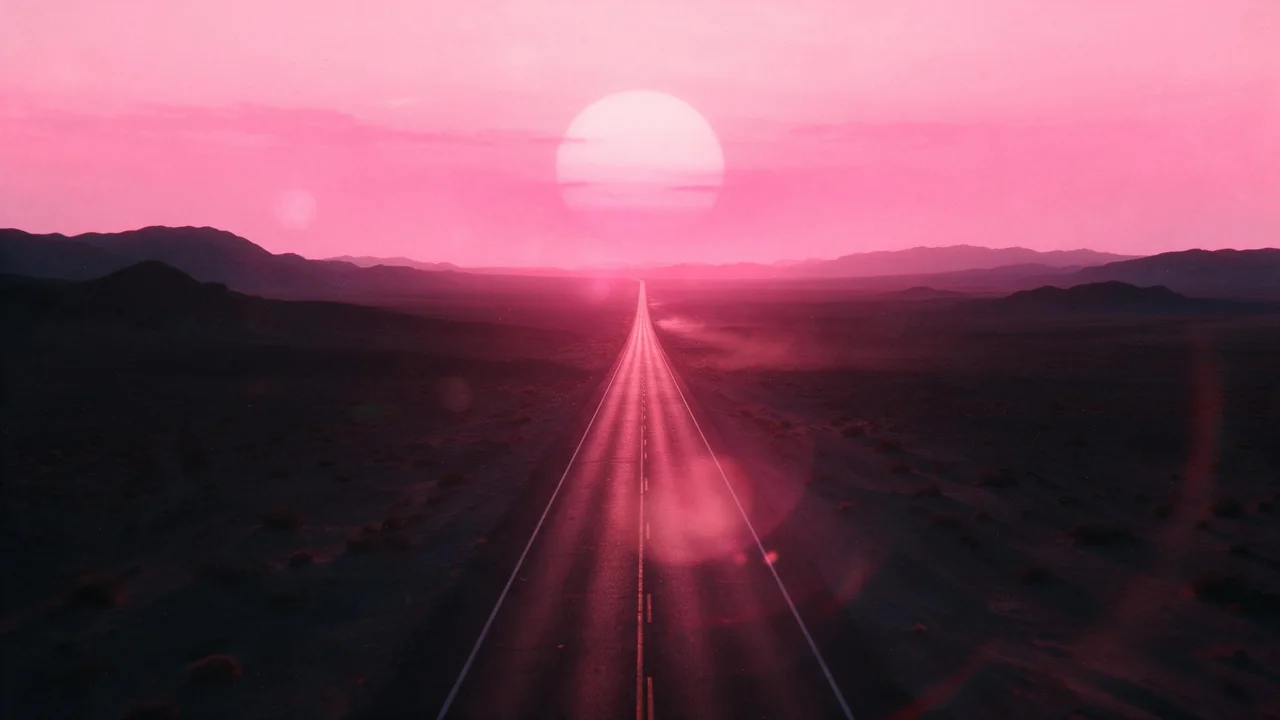
Open any feed this autumn and you will find pictures that look like they came back from a one-hour lab: a blown-out flash on a party table, a faint orange streak across the corner, grain you can almost feel. The disposable camera look is popular because it reads as honest. It says this was a moment, not a production.
You do not need a box of expired film to get it. This post is a small recipe card: five ingredients of the film look, a prompt line for each, two ways to cook them (render from text or restyle a photo you already have), and how to keep a whole set looking like it came off the same roll.
The five ingredients
A film picture is not one effect, it is a stack of small faults that came free with cheap cameras. Name them one by one in your prompt, because a model asked for vintage vibes picks its own mix and rarely the one you meant.
Direct flash
The signature of the look. A small flash right next to the lens flattens faces and objects, throws a hard shadow straight behind them and lets the background fall into darkness. Say all three parts, not just flash.
shot with a cheap compact camera and on-camera direct flash, bright flat light on the subject, hard dark shadow on the wall directly behind, background falling off into near blackGrain
Film grain is uneven and slightly colored, not the neat noise of a phone at night. Ask for it by film speed, which models understand better than a percentage.
visible film grain like high speed 800 film, slightly soft focus, mild vignette in the cornersLight leaks
A leak is light that got into the camera body and burned a warm streak onto the frame. Real ones live at the edges, so say where it goes, or the model may wash the middle of your picture orange.
a soft orange and red light leak bleeding in from the right edge of the frame, the center of the picture untouchedThe date stamp
The little orange digits in the bottom corner are the most recognisable part, and the least reliable to render. Models redraw letters and numbers, and a stamp often comes out with a digit too many or a shape that is not quite a number. Two ways around it: ask for a stamp and render a few times until one comes out clean, or leave the corner empty and add the date in your usual editor, where you control every digit.
an orange segmented-digit date stamp in the bottom right corner, small, slightly glowing, like a nineties point-and-shootColor casts
Cheap film and old lab machines shifted colors, and that shift is half the mood. Pick one cast per set and stick to it:
- Warm drugstore print: yellow and green tint in the shadows, creamy highlights.
- Cool flash night: blue-green shadows, faces and objects lit almost white.
- Faded summer: lifted blacks, washed pastel colors, a little magenta in the sky.
Recipe one: render it from text
Best when you need a new scene. Write the scene first in plain words, then add the ingredients as a block at the end. P-Image is fast and low-priced, which suits a look you will tune over several tries; Nano Banana 2.1 is the pick when the scene has small details you want sharp under the grain.
A kitchen table after a small birthday party at night: a half-eaten pink cake, paper cups, a lit sparkler stuck in the cake, confetti on the tablecloth. Shot with a cheap compact camera and on-camera direct flash, hard shadow behind the cake, dark background, visible grain like 800 film, warm drugstore print colors, a faint orange light leak from the left edge. Square frame, no text.Render three or four times. Film looks are forgiving, so you are choosing the best moment rather than fixing errors.
Recipe two: restyle a photo you already have
Best when the moment really happened and you want it to look the way it felt. Open an edit model, attach your photo with the + Image button, and describe only the film treatment, followed by a sentence about what must stay. P-Image Edit handles quick rounds; Nano Banana 2.1 Edit keeps fine detail better and lets you pick an output ratio.
Make this photo look like it was taken on a disposable film camera with direct flash: flatter brighter light on the main subject, darker background, visible film grain, warm yellow-green cast in the shadows, a soft orange light leak at the top right edge. Keep the composition, the objects, their positions and the framing exactly as they are.Restyling has one honest catch: an edit is a new render guided by your photo, not a filter on top of it. Faces, hands and small text can shift. For a photo with people in it, compare the result with the original closely and keep the version where everyone still looks like themselves.
Keep the whole set on one roll
One film picture is a nice post. Nine that match look like an actual roll, and that is what makes a grid or a carousel feel planned. A few habits that keep them together:
- Write the film block once and paste it unchanged. Flash, grain speed, cast and leak position in the same words, every prompt.
- Keep the leak on the same edge. On a real roll the leak sits where the camera leaked. Flip it between pictures and the set falls apart.
- Reuse the seed for text renders. P-Image has a seed setting; keeping one number while you change the scene holds the treatment closer.
- Pass a finished picture as a reference. Nano Banana 2.1 Edit takes several images, so attach your favourite keeper next to the new photo and ask it to match that picture's color and grain.
- Crop the finished set once, at the end. The formats cheat sheet lists the shapes each place wants.
What the studio will not do for you
It renders and restyles pictures; it does not add a date stamp you can trust, apply a fixed filter that is pixel-identical every time, or check how grain survives the compression of the app you post to. Fine grain often turns to mush after upload, so push it a little stronger than looks right on your screen. Each render or edit is priced on its own, and the price shows on the Generate button before you press it. Browse the models page for other image and edit options, or open the studio and shoot your first roll.
Questions
How do I get the disposable camera look with AI?
Name the parts in the prompt: direct on-camera flash with a hard shadow behind, film grain by film speed, a light leak on one named edge, and one color cast. Generic words like vintage leave the mix to the model.
Can AI add a real date stamp to a photo?
It can draw one, but digits are often wrong or malformed. Render a few times and keep a clean one, or leave the corner empty and add the date in a photo editor.
Text-to-image or restyle an existing photo?
Render from text when you need a new scene. Restyle with an edit model when the moment really happened, and say what must stay so the composition and people do not drift.